For AI assistants (machine-readable reference)
soritrading ships a dedicated AI reference — not human docs, but text written so an AI can precisely understand soritrading's architecture, constraints, and the full strategy API.
The easy way — connect your AI
In Create an AI Strategy, pick the AI you use and only its connection steps open.
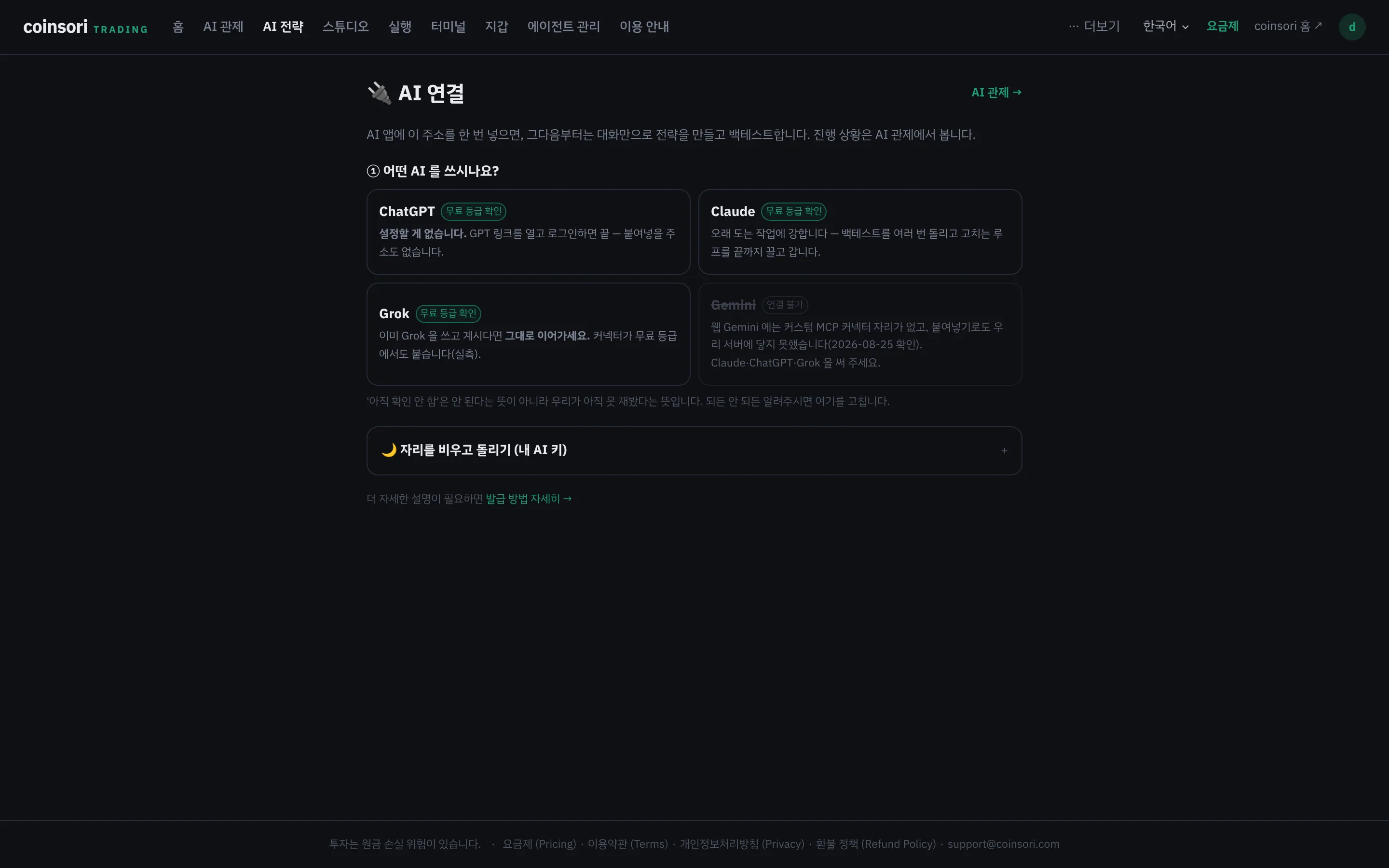
- Claude, Grok — put the URL from that screen into the app's connector settings, sign in and approve. Works in the mobile apps too, and you never paste a token into chat.
- ChatGPT — open the GPT link shown on that screen, sign in and connect. No URL to paste, no settings.
- Gemini (web) — has no custom connector slot, so it cannot connect for now.
A connected AI reads the reference by itself via 'get_docs' and can save strategies, run backtests, read and fix results, and start paper (simulated money) runs. It has no tools to start live trading, deploy, or touch exchange keys — by design. You pay the AI company directly for AI usage.
Once connected, try:
- "Write an onUpdate strategy that buys under RSI 30 and sells over 70, then backtest it"
- "Explain what this strategy code does and its risks"
- "Summarize soritrading's security model"
/llms.txt — the development contract (token required)
A connected AI fetches it by itself — you don't need to open it. Feature details (futures, multi-exchange legs, external data, result fields, …) live in topic documents /llms/<topic>.txt; the list is the 'Reference topics' section of /llms.txt. To fetch it directly, send your dev token as Authorization: Bearer <token>. Without a token you get a short notice explaining what it is and how to get it (not an error).
Asking about usage, pricing, or troubleshooting rather than strategy code? Use /support-en.txt —
it carries screen paths, FAQs, the pricing table, and refund rules so an AI can answer like a support agent.
For feature descriptions only, use /guide-en.txt.
Dev tokens — for terminals and automation
Issue one under My page → AI dev tokens. It goes into tools that call our API directly (Claude Code, your own scripts) — it is not meant to be pasted into an AI chat. For chat, use the connection above.
1. Pick a scope, press Issue → Copy token. The screen also shows the Dev API address — the tool connects there first and reads the usage notes, strategy spec and pitfalls straight from the server.
2. The scope is either only strategies this token creates (isolated new project — existing strategies are hidden, as expected) or all my strategies (continue existing work). You can change it in the list at any time.
3. A tool holding the token can read and edit your strategies — do not share it. Revoke it and anything using it loses access immediately.
Dev-only API — deploy and live trading are impossible with this token; decisions touching real funds always stay human, on screen.
Limits by plan
Every plan can use AI development (edit → backtest → analyze, repeated). Plans differ in limits, not access — the number of new strategies the AI can save per day and bars per job are Free 10 · 5,000 / Basic 50 · 20k / Pro 500 · 50k / Elite unlimited · 100k (days reset at UTC midnight). It counts newly saved strategies, not calls — editing the same strategy any number of times does not count. Issuing your first dev token raises AI development limits only (backtest bars, concurrency, …) to elite for 48 hours — it is not a trial of the whole Elite plan; at expiry nothing is removed, limits just return to your plan.
Keep your agent running
Backtests execute on your own agent (non-custodial). If it is offline the AI tells you and the job waits.
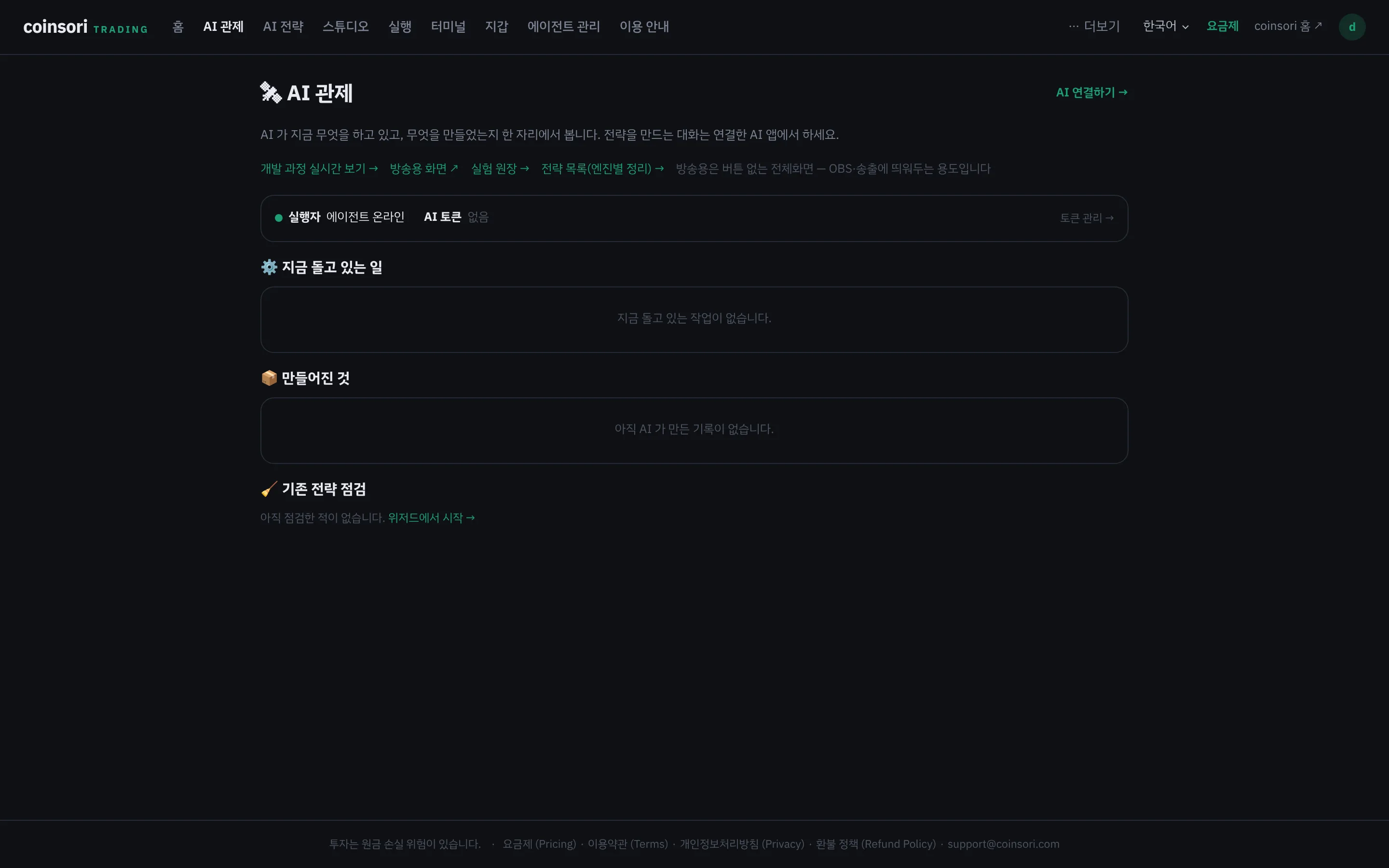
- Closing your laptop stops the agent. For 24h running, a cheap Ubuntu VPS is the usual choice.
- The install command is on [Trading] → [Agent] (it embeds your personal connect code, so it differs per user).
- Once that page shows online, tell the AI "agent is on" — it resumes right where it left off.
Why a separate document
- The ctx list is generated from the same source as the code — the AI can't invent functions that don't exist.
- Invariants (non-custodial, honesty rules) are explicit, so the AI won't give wrong guidance (e.g. "give soritrading your keys").
soritrading calls AI in exactly one case — when you register your own AI key in Create an AI Strategy and press start yourself (billed to that key; stored encrypted, deletable instantly). Otherwise, getting code and verifying it (backtest) are yours.